

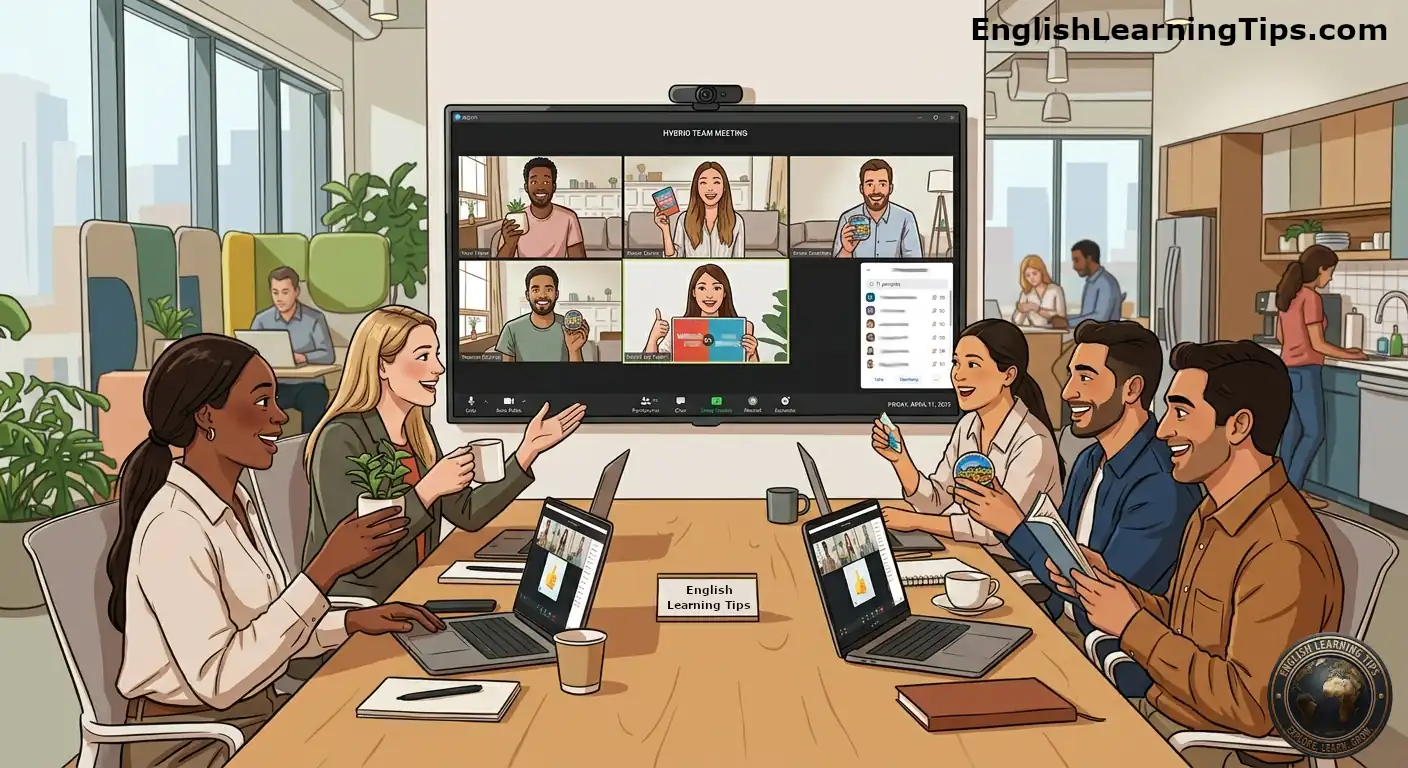
Breaking the ice in the hybrid office: Strategies for team connection

Hybrid work is no longer a ‘trend’—it is the standard for the modern workforce. This model creates unique challenges for building connections—remote employees often miss casual hallway chats, while in-office staff may feel disconnected from those joining via video. Effective icebreakers help bridge that gap, boost engagement, and make meetings more productive.
In 2026, companies using structured icebreakers for hybrid teams report stronger collaboration and higher team satisfaction. These activities work whether your group meets fully online, in person, or in a mixed format. By prioritizing inclusive meeting strategies, managers can ensure that “out of sight” never means “out of mind.”
Key takeaways: Mastering the hybrid mix
- Prioritize equity: The most successful icebreakers use a “digital-first” mindset, ensuring remote employees aren’t just watching the in-office team have fun.
- Keep it brief: For daily meetings, stick to activities under 5 minutes to maintain momentum while still building team connection.
- Use the right tech: Leverage tools like Zoom polls and Microsoft Teams reactions to give everyone a voice, regardless of their physical location.
- Build psychological safety: Low-pressure social interactions are the foundation for better collaboration and employee engagement during high-stakes projects.
Why icebreakers matter more in hybrid work environments
Hybrid setups can reduce spontaneous interactions that naturally build rapport. Learning how to master small talk is a vital skill for remote employees who want to feel more connected during those brief moments before a meeting officially begins. Using specific methods like the echoing technique can help bridge these gaps during the initial minutes of a call.
Data from recent workplace studies shows that many employees worry about missing out on relationship-building in mixed remote and office arrangements. Quick, inclusive icebreakers address this by creating shared moments that feel equitable for everyone, regardless of location.
They also improve meeting energy, reduce awkward silences, and help new team members integrate faster. The key is choosing hybrid team building activities that require minimal prep and give equal participation opportunities to remote and in-office colleagues.
Benefits of regular hybrid icebreakers
- Encourages psychological safety: Small wins in low-stakes games make it easier for people to speak up during high-stakes projects.
- Reduces “proximity bias”: Ensures in-office workers don’t dominate the social culture.
- Boosts remote employee retention: Meaningful connections reduce the feeling of isolation common in home offices.
Tools to level up your meetings
- Logitech Brio 500 Webcam: (Best for auto-framing and lighting adjustment).
- Jabra Evolve2 65 Bluetooth Wireless Headset: (Best for eliminating background noise in open-plan offices and syncing with Teams).
- Anker PowerConf C200: (A great budget-friendly 2K alternative).
Quick icebreakers for hybrid meetings: Under 5 minutes
These low-effort options fit easily at the start of team calls. If you need more inspiration, check out our list of low-stakes conversation starters designed to work in any social setting.”
- One-word check-in: Go around the group (or use a shared chat) and ask each person to share one word describing their current mood or energy level. Follow up with volunteers who want to explain.
- Would you rather: Pose a light question like “Would you rather work from a beach or a mountain cabin?” Participants answer via raised hands in the room, emojis in chat, or quick video shares.
- Desk or home office show-and-tell: Ask everyone to share one item visible on their desk and why it matters to them. Remote workers turn on video; in-office participants can hold items up to the camera.
Fun icebreakers for hybrid teams: 5–15 minutes
For longer sessions or dedicated virtual team-building days, try these activities that adapt seamlessly across formats:
- Virtual scavenger hunt with a twist: Give a list of items (e.g., something red, a favorite mug, a plant). Remote participants show finds on camera; in-office teams can pair up or share via a central screen. Add a hybrid element by including office-specific clues like “a company-branded item from the kitchen.”
- Two truths and a lie: Each person shares three statements about themselves—two true, one false. The group guesses the lie using polls or chat. This reveals personal details and sparks follow-up conversations.
- Guess the fact: Share anonymous interesting facts submitted in advance via a shared form. The team guesses who each fact belongs to. This levels the playing field for introverts and remote participants.
- Workspace hack share: One or two volunteers give a quick 1-minute tour of their setup. Others share one productivity tip from their hybrid work routine, such as noise-cancelling headphones or boundary-setting habits.
Comparison: Choosing the right activity format
| Format | Best for | Example activity | Time needed | Inclusivity tips |
| In-person | Full office days | Physical scavenger hunt | 10–20 min | Share results via video for remote viewers |
| Virtual | All-remote teams | Online polls or whiteboard | 5–10 min | Use chat and reactions for equal participation |
| Hybrid | Mixed remote and office | Desk show-and-tell | 5–15 min | Alternate speaking order; combine chat + verbal |
Tips for running successful icebreakers in hybrid settings
To ensure your remote-friendly icebreakers actually land well with the team, keep these best practices in mind:
- Keep it optional and low-pressure: Not everyone enjoys being the center of attention. This approach fosters psychological safety, allowing team members to engage at their own comfort level.
- Use technology thoughtfully: Leverage built-in tools like Zoom polls, Microsoft Teams reactions, or shared documents. Test audio and video quality in advance so remote voices come through clearly.
- Mix it up: Rotate between quick questions and longer games to prevent repetition. Tie activities to current themes, such as seasonal topics or recent company wins.
- Follow up meaningfully: After the icebreaker, reference something shared during the main discussion. This reinforces the team connection.
- Consider time zones: For global teams, use asynchronous options like pre-submitted videos or Slack-based polls.
- Small talk taboos: Learn what is taboo in the country you are in and remember that what’s accepted in one part of a country may not be socially acceptable in another.
Common mistakes to avoid with hybrid icebreakers
Steer clear of games that rely heavily on physical proximity. Activities that exclude remote participants (like passing objects around a table) can create a “second-class citizen” feeling for those at home. Instead, default to options where everyone contributes in similar ways, such as through voice, chat, or screen share.
Also, watch your timing. Overly long icebreakers can frustrate busy teams. Aim for activities that energize rather than delay the real agenda. Knowing how to end a conversation politely ensures that the transition from the icebreaker to the main meeting topic feels professional and seamless.
FAQs: Breaking the ice in the hybrid office
Building a stronger hybrid culture: One meeting at a time
Creating a connected team in a split environment doesn’t require complex software or hour-long seminars. Often, it starts with a simple three-minute question that makes a remote employee feel seen or an in-office worker feel heard. By implementing these hybrid office team building activities consistently, you transition from a group of individuals to a truly unified team.
As workplace dynamics continue to evolve in 2026, staying adaptable and inclusive is the most effective way to maintain high employee engagement and long-term retention.
Join the conversation: What is your favorite icebreaker?
We want to hear from you! What is the one icebreaker that always gets your hybrid team laughing? Or, have you tried an activity that completely flopped?
Leave a comment below with your go-to strategy for bridging the gap between the office and the home setup. If you found these tips helpful, share this article with a colleague or manager who is looking to boost their team’s connection!
Discover more from English Learning Tips
Subscribe to get the latest posts sent to your email.


